Share a recording
Grant another user or group access to a recording and its associated session content.
Requires: Write access to the recording. Group sharing also requires an available group you belong to.
- Open the recording and select Actions → Access Management.
- Search for the user by name or email and select them.
- Choose Read or Write.
- Select Grant and check Current Permissions.
For a group, use Share with a group, select the group and permission, then select Share.
Read permits viewing the recording and participating in its supervision discussion. Write also permits editing and access management. Shared readers can see existing supervision comments.
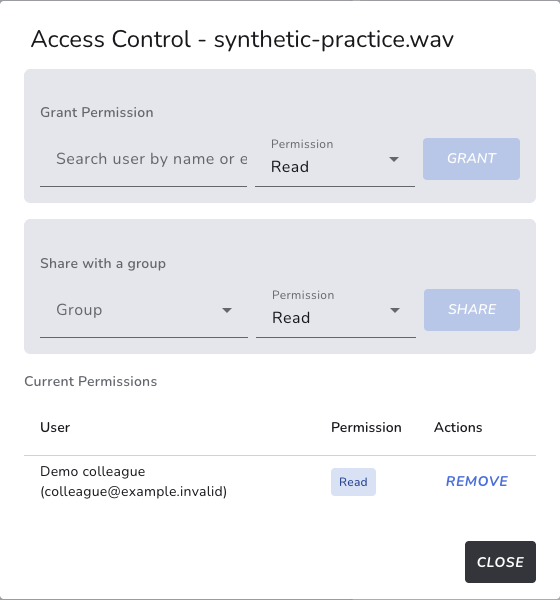
Synthetic example: Demo colleague can read the recording but has not been granted Write permission.
Remove access
Use Remove beside the intended permission entry. A person may still have access through another grant or group membership. Review those routes if access remains.
If an invite option appears, use it only when you intend to invite that person; an invitation is separate from simply searching for an existing user.